
iPhone & iPad
Picture-in-picture, AirPlay, subtitle styles and a player that moves with you.
Get it on the App StoreLive TV, the programme guide, films and series from your Xtream Codes, M3U or Stalker subscription.
One free IPTV player, beautifully at home on every screen.
No ads. No account required. Bring your own subscription.
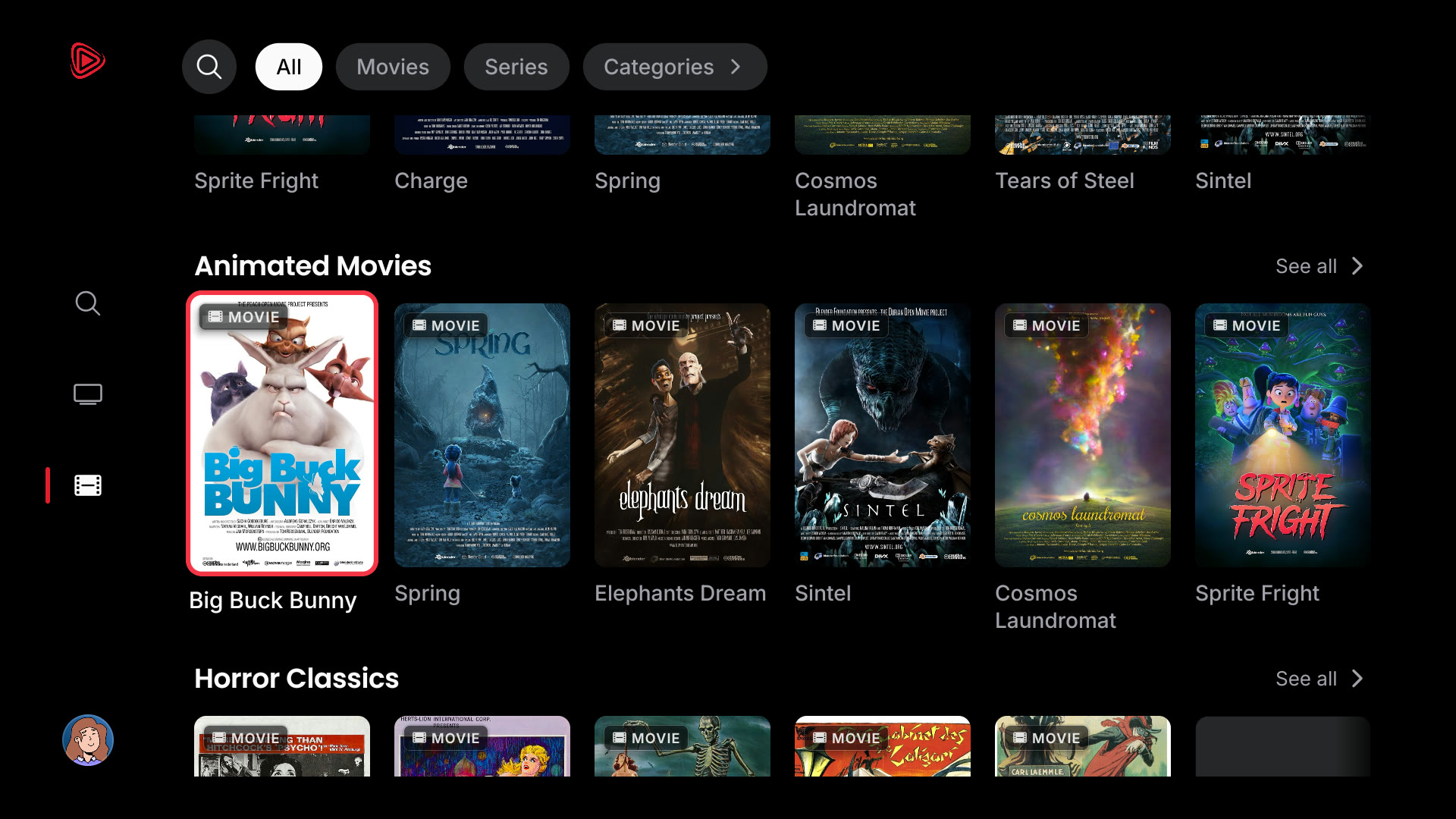
Screens straight from the app. Nothing mocked up. The films are Blender open movies and public-domain classics, used as demo content. Rhoe includes no channels or films. Film credits
01 / LIVE, WITHOUT THE FRICTION
The match. The morning news. That channel you always come back to. Find your favourites fast, with a live guide that keeps you one step ahead.
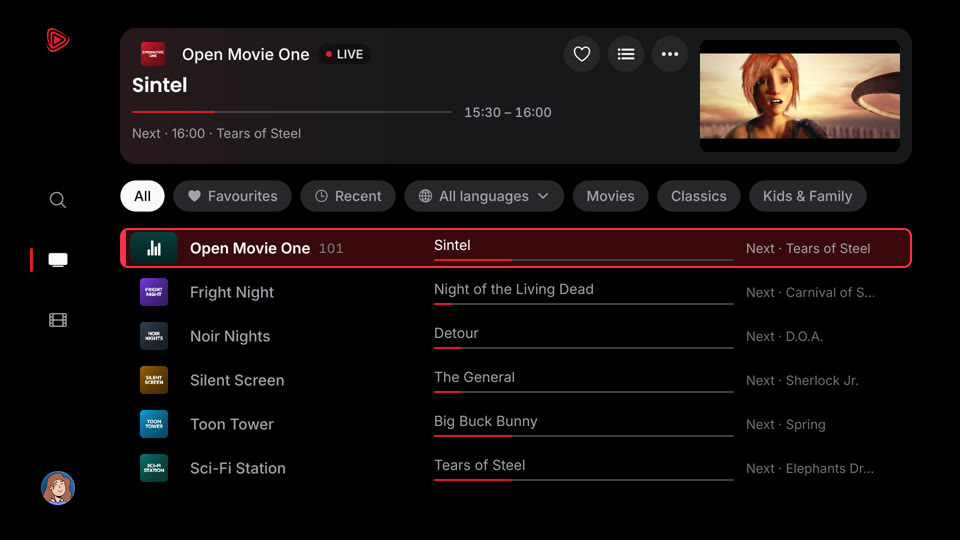
02 / YOUR OWN VIDEO CLUB
Give your provider’s films and series a place that feels like a proper library. Browse by category, find your next episode, and get back to the good part.
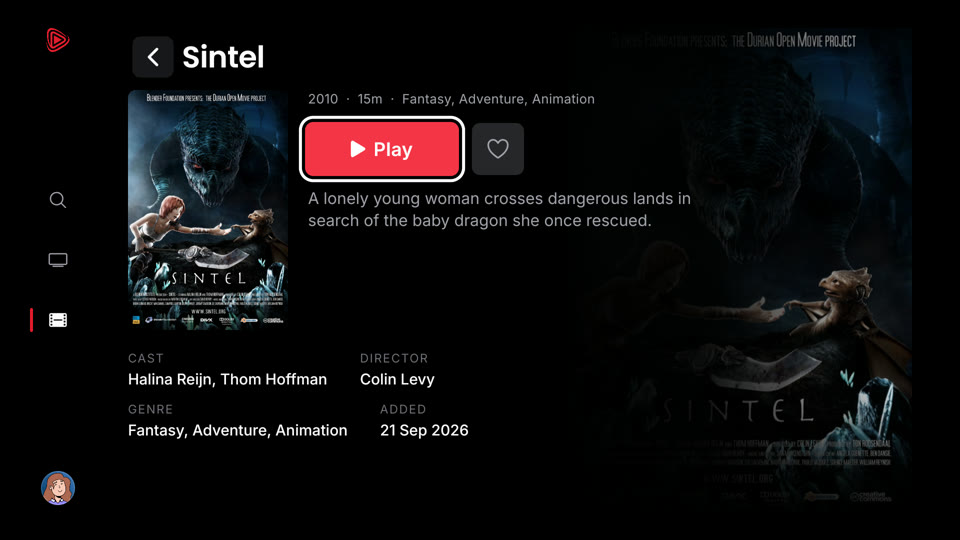
03 / SMALL SCREEN. BIG SCREEN. YOUR SCREEN.
A remote on the sofa. A thumb on the train. A tab at your desk. A familiar player, made for the way you watch.
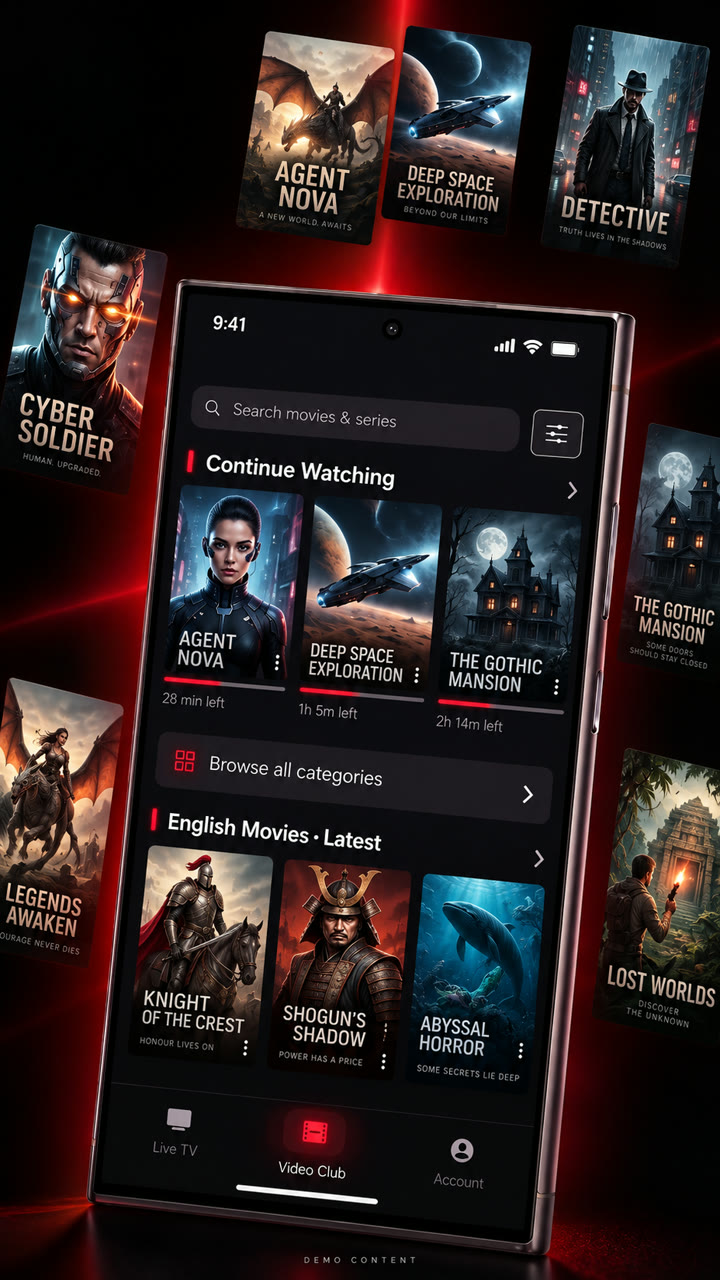
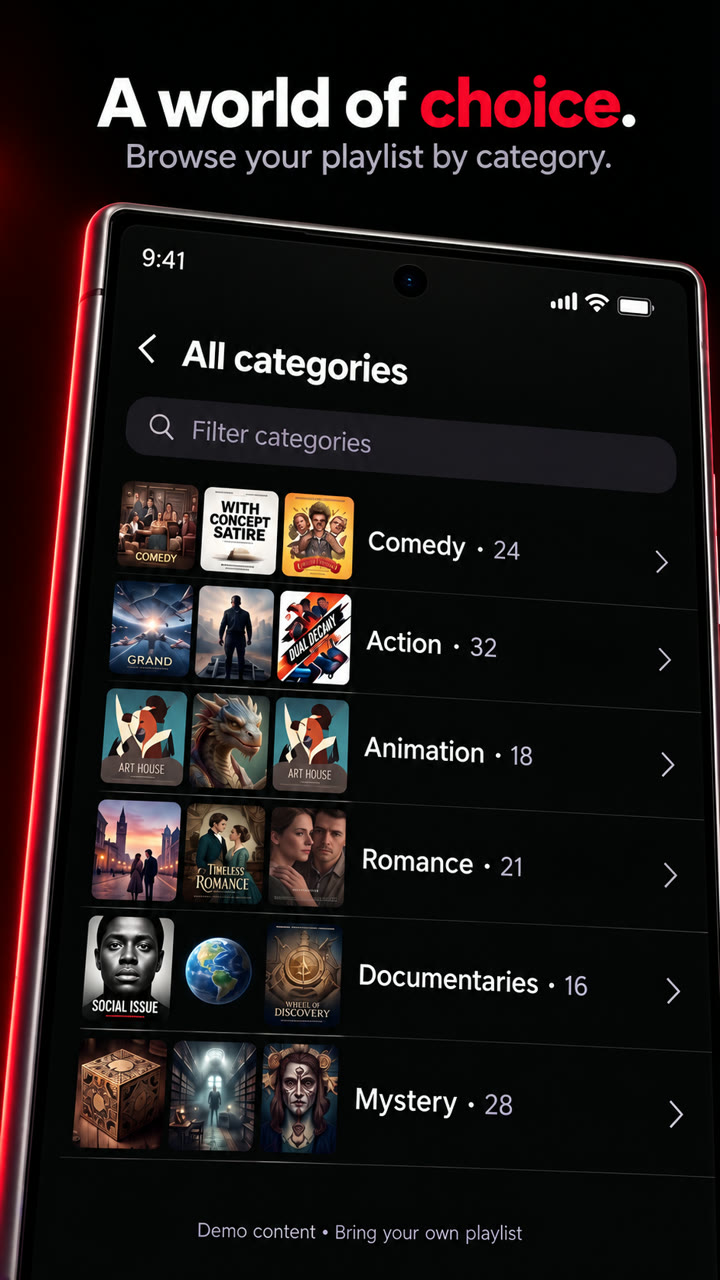
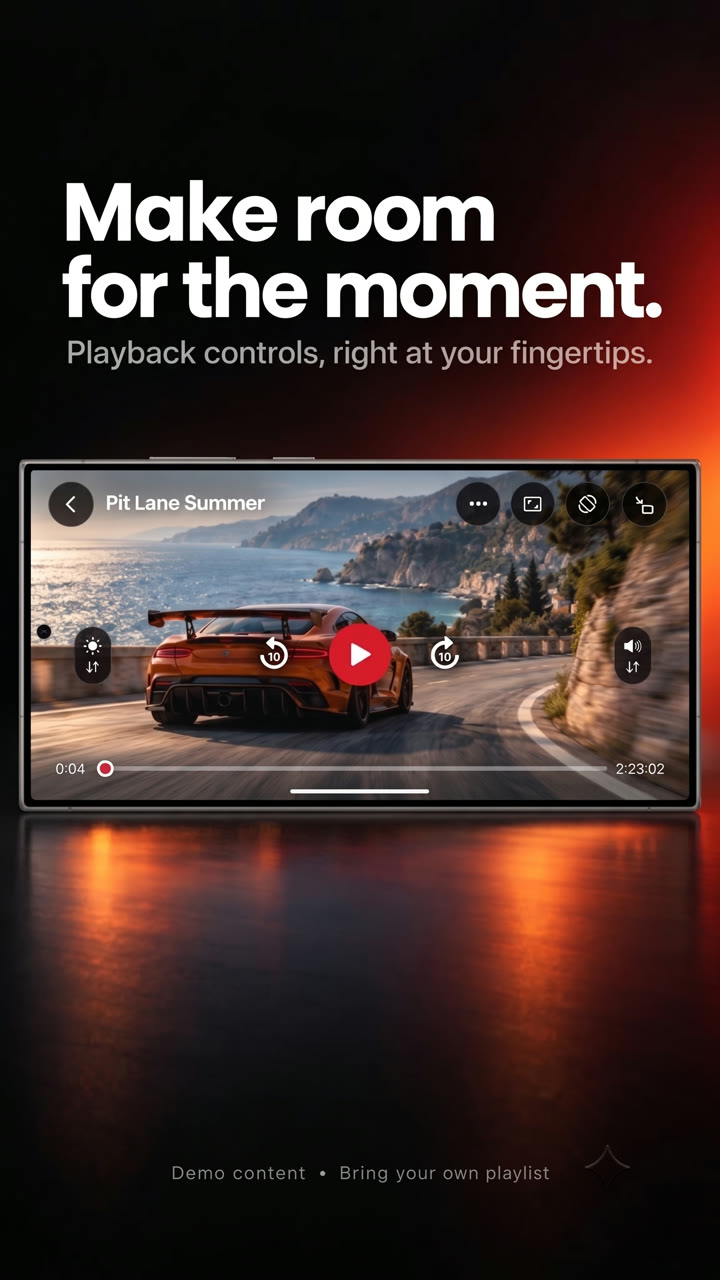
The Rhoe phone app. Posters are demo artwork · Bring your own playlist.
Picture-in-picture, AirPlay, subtitle styles and a player that moves with you.
Get it on the App StoreYour channels in your pocket, with flexible playback for more stream formats.
Get it on Google PlaySettle in. A big-screen layout with clear focus and full remote navigation.
Explore TVOpen your player on a laptop or compatible browser. No download needed.
Web setup04 / EVERYTHING IN THE BOX
Every feature below ships in the apps today. Each one is marked with where you’ll find it.
Keep a film playing in a floating window while you use other apps. Live TV too on Android.
Pick the size, colour, background, edge and position, with a live preview.
Switch language mid-film. Rhoe remembers what you chose.
Swipe for brightness and volume, double-tap to skip 10 seconds, pinch to fill the screen.
Watch at 0.75× to 2×, and stop after 15 to 60 minutes or at the end.
An Up Next countdown rolls into the next episode. Turn it off any time.
Letterbox or fill the screen, remembered per device.
Skip 10 seconds, hold to scrub faster, start over from the top.
Send what you are watching to an Apple TV.
A libVLC fallback plays the streams the built-in player can’t.
What is on, how far in, and what comes next, on every channel.
Your channels, one press away. Rhoe opens on the one you watched last.
Swipe up and down on a phone. CH+/CH−, number keys and last channel on a TV.
Browse by language and pin the categories you use most.
Jump straight to a channel. On TV, one search covers channels and films.
Add an XMLTV link and M3U playlists get a programme guide too.
Pick up films and episodes where you stopped, on any of your devices.
Save something for later with one press.
"Because you watched" and "More like this", from your own library.
Language, 4K/HD/SD, rating, hide CAM copies. TV adds genre and year.
Seasons and episodes, newest or oldest first.
Xtream Codes, Stalker/MAC portals, M3U playlists and single streams.
Save more than one and switch without retyping.
Scan a QR code. Then send your provider across, end-to-end encrypted.
A free account keeps favourites, history, My list and settings in step.
Pick one of 16 illustrated avatars for your profile.
Rhoe warns you before your provider subscription runs out.
Not in Rhoe yet: offline downloads, Chromecast, catch-up TV and a multi-channel guide grid.
05 / BRING WHAT YOU ALREADY HAVE
Paste a portal, paste a playlist, or open a file your provider emailed you. Rhoe works out what it is looking at and asks for nothing else.
| Connection type | What you provide | Live TV | Guide | Films & series |
|---|---|---|---|---|
| Xtream Codes compatible | Server URL, username, password | Yes | Yes | Yes |
| M3U / M3U8 playlist | Playlist URL, or an imported file | Yes | With XMLTV | — |
| Stalker portal | Portal URL and MAC address | Yes | Yes | Portal-dependent |
| Direct stream | One media URL (HTTPS, RTSP, RTMP, UDP) | Yes | — | — |
Release builds require HTTPS for control endpoints — sign-in, catalogue and guide requests — because those carry your credentials. Media itself plays over whatever your provider serves.
Not sure which one you have? Start with what IPTV is, then the Xtream Codes, M3U playlist and EPG guides.
06 / PRIVACY COMES STANDARD
Enjoy your downtime. No advertising profiles. No interruptions. An optional account when you want to sync your preferences. Read the full privacy policy.
Your provider username, password, MAC and playlist URLs live in the iOS Keychain or Android Keystore. They are never uploaded to us.
The app asks your provider for a stream and pulls it straight from their CDN. We are not in the path, so we could not log it if we wanted to.
No advertising identifier, no analytics SDK, no crash reporter. Channel names, search terms and stream URLs are never sent to us.
Sign in with an emailed code only if you want settings to follow you between devices. Delete it any time from Account or the web.
GOOD TO KNOW
Rhoe is a free IPTV player app for Android phones and tablets, Android TV, Google TV, Fire TV, iPhone and iPad, and web browsers. It plays live TV with a programme guide, films and series from an IPTV service you already have, using an Xtream Codes login, an M3U or M3U8 playlist, a Stalker portal or a direct stream link. Rhoe has no ads and does not include or sell channels.
No. Rhoe is only a player. It ships with no channels, no playlists, no catalogue and no provider built in. You connect a service you already pay for, and you are responsible for having the right to watch what you connect.
Xtream Codes compatible portals with a server URL, username and password; M3U and M3U8 playlists by URL or file import, with optional XMLTV guide data; Stalker portals; and a single direct stream URL over HTTPS, RTSP, RTMP or UDP.
On your device, in the iOS Keychain or the Android Keystore. They are never uploaded to a Rhoe server and never appear in preference sync payloads.
No. A Rhoe account is optional and only exists to sync your settings, favourites and progress between devices. Without one, everything stays on the device you set up.
Yes. There is a separate ten-foot build with full D-pad focus handling, a channel drawer sized for a television and a guide you can drive entirely from the remote. On Fire TV, install it from the Amazon Appstore. On Android TV and Google TV it is sideloaded for now; the Fire TV and Android TV guide shows how.
Desktop browsers usually cannot decode the HEVC video those channels use, so you get sound with no picture. It is a browser codec limit, not a fault in the player — the iPhone, Android and Android TV apps play the same channel normally.
There are no ads, no advertising identifiers and no third-party analytics or crash SDKs in the app. Rhoe does not build a viewing profile.
The player is free to download and use. You keep paying whatever your IPTV provider charges, directly to them. Rhoe never handles that.
07 / NEW TO IPTV?
Short, practical guides to IPTV formats, TV setup and the problems people hit most. See all guides.
How IPTV works, provider vs player, and the formats you will meet.
Play an M3U or M3U8 playlist by link or file, and add a guide.
Log in with a server URL, username and password.
Install the TV app and connect it from your phone.
Add an XMLTV guide and fix an empty or shifted schedule.
A ten-point checklist, and what Rhoe does not do yet.
The TV screens on this page are real Rhoe captures, connected to a demo catalogue of films that are free to show. Rhoe includes no channels or films; you connect your own provider.
Artwork and films via Wikimedia Commons and Blender Studio. Channel names in the Live TV screen are invented for the demo.
Rhoe is free on iPhone, Android and Fire TV. Bring the connection you already have.
Android TV, Google TV and the web player: see all downloads.